

USD for Artists
Prism’s USD integration expands Artists’ creative capabilities by providing seamless access to an extended toolset, all while maintaining a streamlined and efficient workflow.
Automated USD Layering
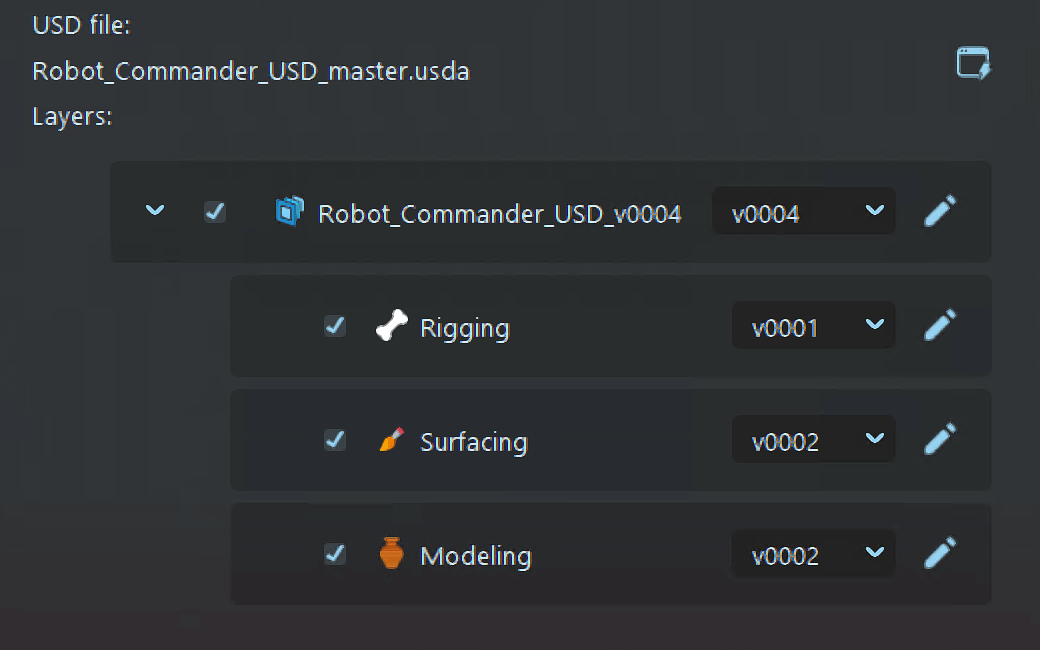
Prism manages the entire USD Layering process by automatically creating USD-Containers for assets and shots.
Each department’s work is organized into separate layers, which are then combined in a defined order.
USD Variant Setup
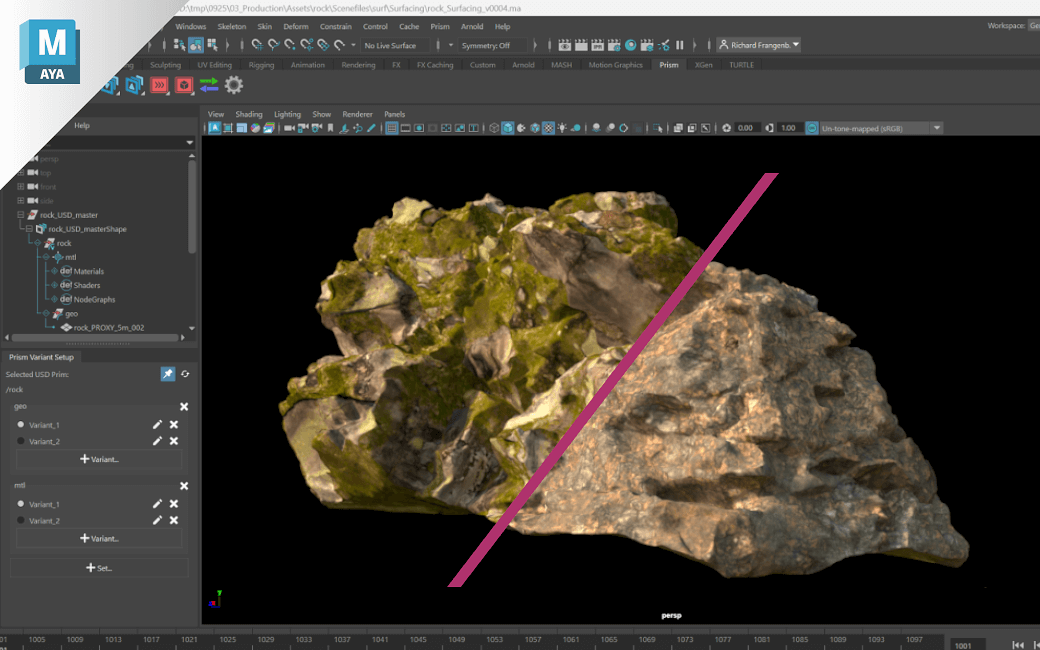
Use Prism’s USD Variant Setup tool to easily create, manage, and organize USD variants and variant sets directly in the USD stage of a Maya scene.
Multi-Shot Workflow
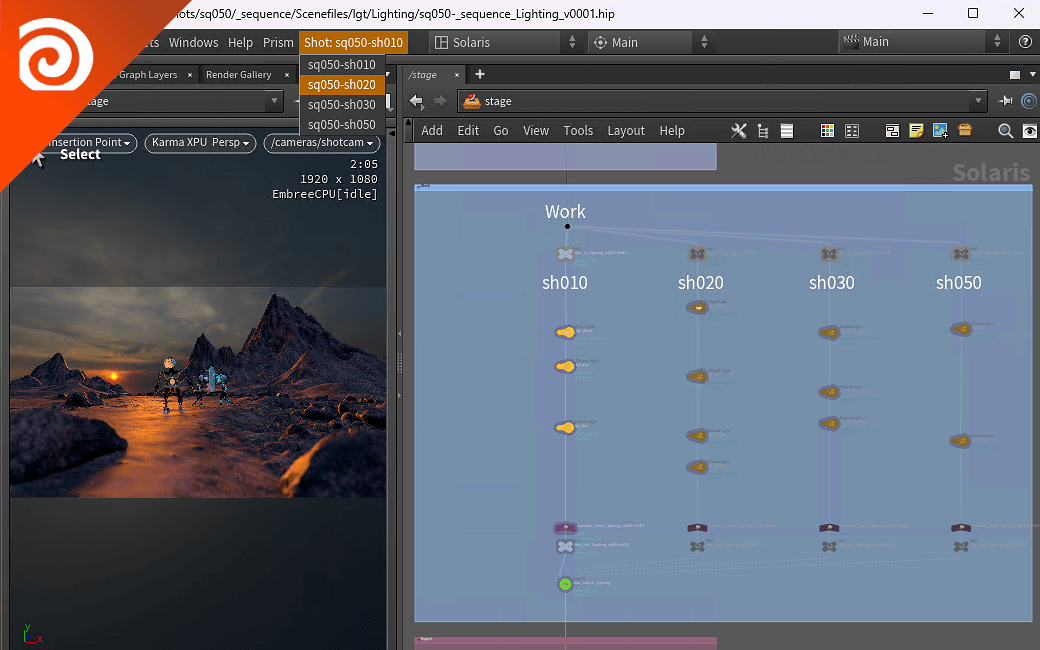
Set up and work on multiple shots using USD in Houdini Solaris – all managed by Prism in the background.
Easily switch between shots by using the Shot Menu without leaving the sequence scene file.
Advanced USD Editor
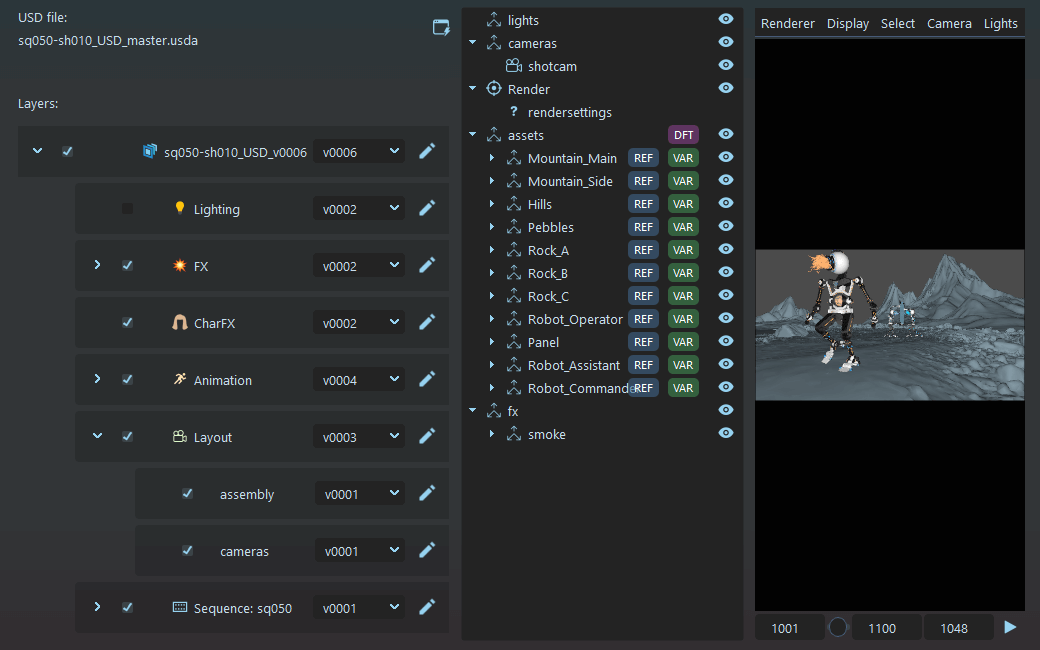
With Prism’s built-in USD Editor, preview composed stages of assets or shots in the Viewport, manage and switch between layer versions in the Layer Tree, and inspect USD prims in the Scenegraph – all in one place.
Hydra Rendering
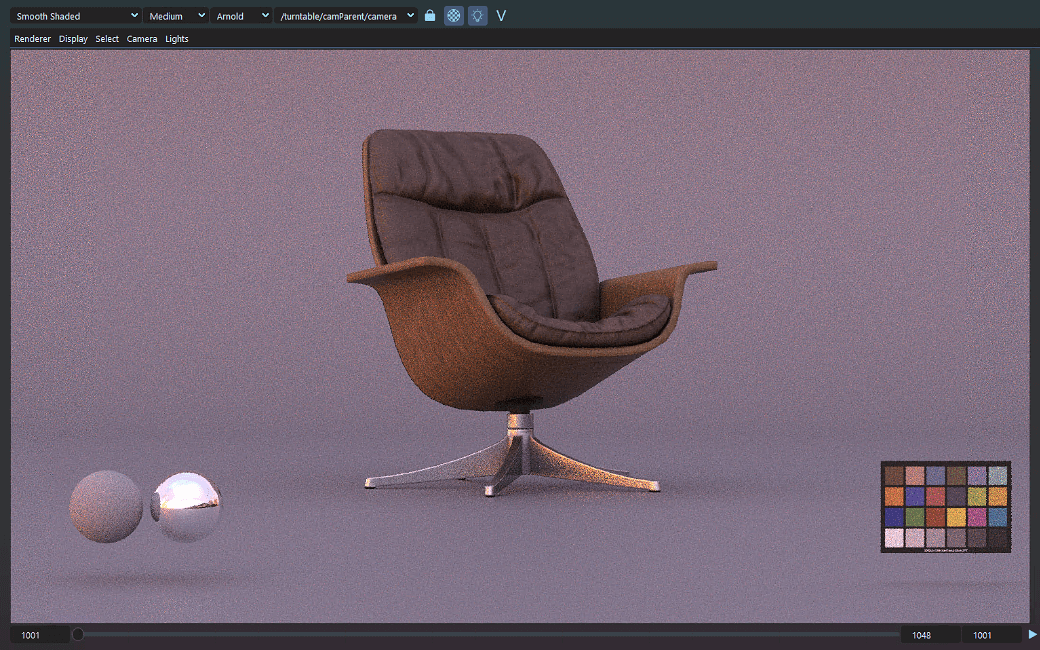
The Prism USD Viewport includes the GL(Storm) Hydra delegate by default, to preview the USD stage.
For enhanced detail and a more refined look, the Arnold Hydra delegate can be configured, enabling high-quality rendering directly within the USD Editor.
Cross DCC Support
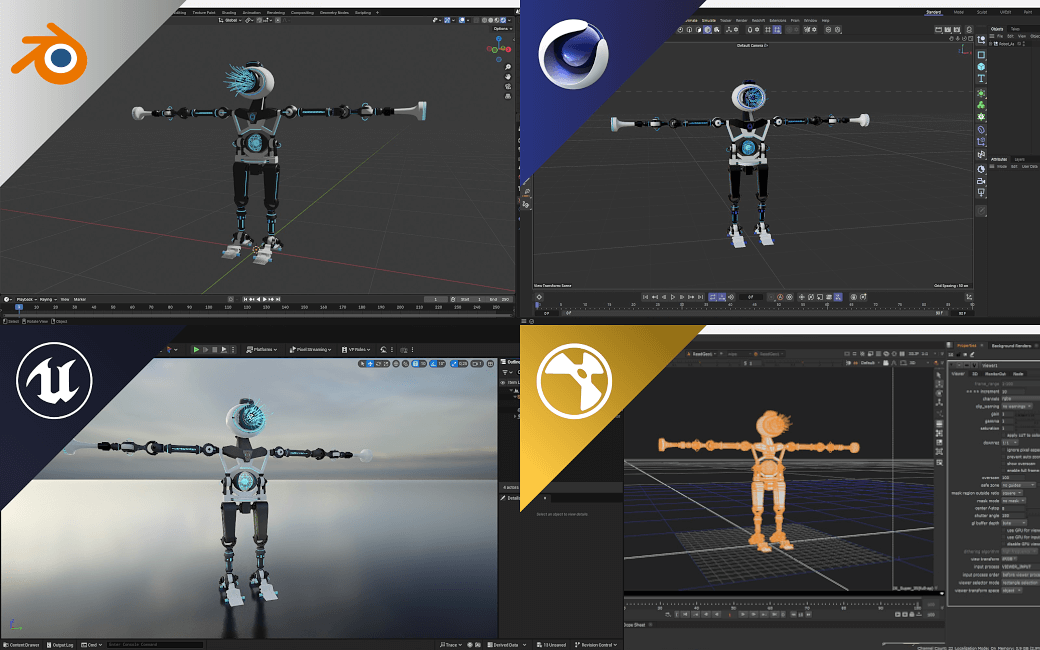
Benefit from a fully integrated USD pipeline for Houdini and Maya, with initial Support for Unreal Engine, Blender, Cinema 4D, and Nuke.
 English
  Deutsch
  简体中文
简体中文