Quote from
gkocov on 8. September 2019, 13:15
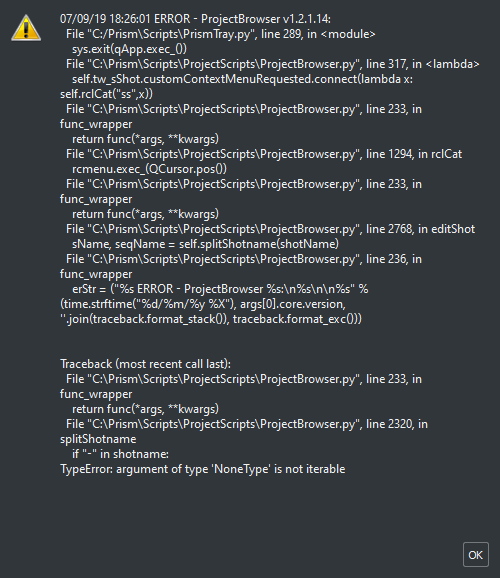
Replacing line 2768 in \Prism\Scripts\ProjectScripts\ProjectBroswer.py
sName, seqName = self.splitShotname(shotName)
with the following block of code should fix the issue. Please be careful that the tabs before the code lines might get converted to spaces if you copy/paste the whole block directly from the forum into your code editor. If that happens delete the spaces and replace them with tabs (2 tabs for line 1 and 4, 3 tabs for line 2, 3 and 5).
if shotName == None:
sName = None
seqName = None
else:
sName, seqName = self.splitShotname(shotName)
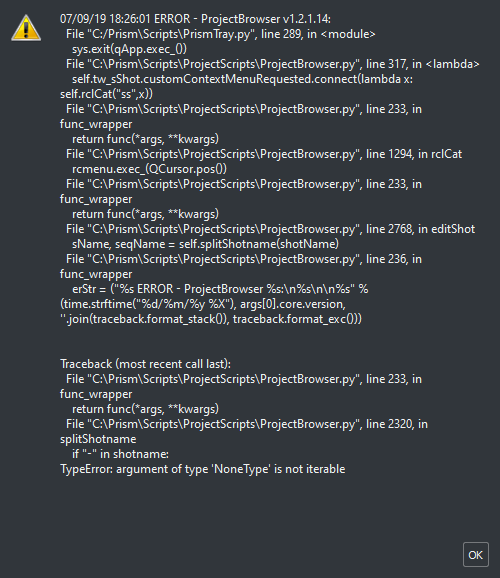
Replacing line 2768 in \Prism\Scripts\ProjectScripts\ProjectBroswer.py
sName, seqName = self.splitShotname(shotName)
with the following block of code should fix the issue. Please be careful that the tabs before the code lines might get converted to spaces if you copy/paste the whole block directly from the forum into your code editor. If that happens delete the spaces and replace them with tabs (2 tabs for line 1 and 4, 3 tabs for line 2, 3 and 5).
if shotName == None:
sName = None
seqName = None
else:
sName, seqName = self.splitShotname(shotName)


 English
  Deutsch
 简体中文
简体中文